Medi+
Medication assistant
Using the medication assistant
When you use Medi+, you can transfer your data automatically from the KPTnet customer portal.
Setting up Medi+
If you are transferring data from the KPTnet customer portal, you register directly in KPTnet. If you are not transferring data, you first have to register with Medi+. Already have an account with Zur Rose? If so, you can use Medi+ without separately registering.

Medi+ in a nutshell
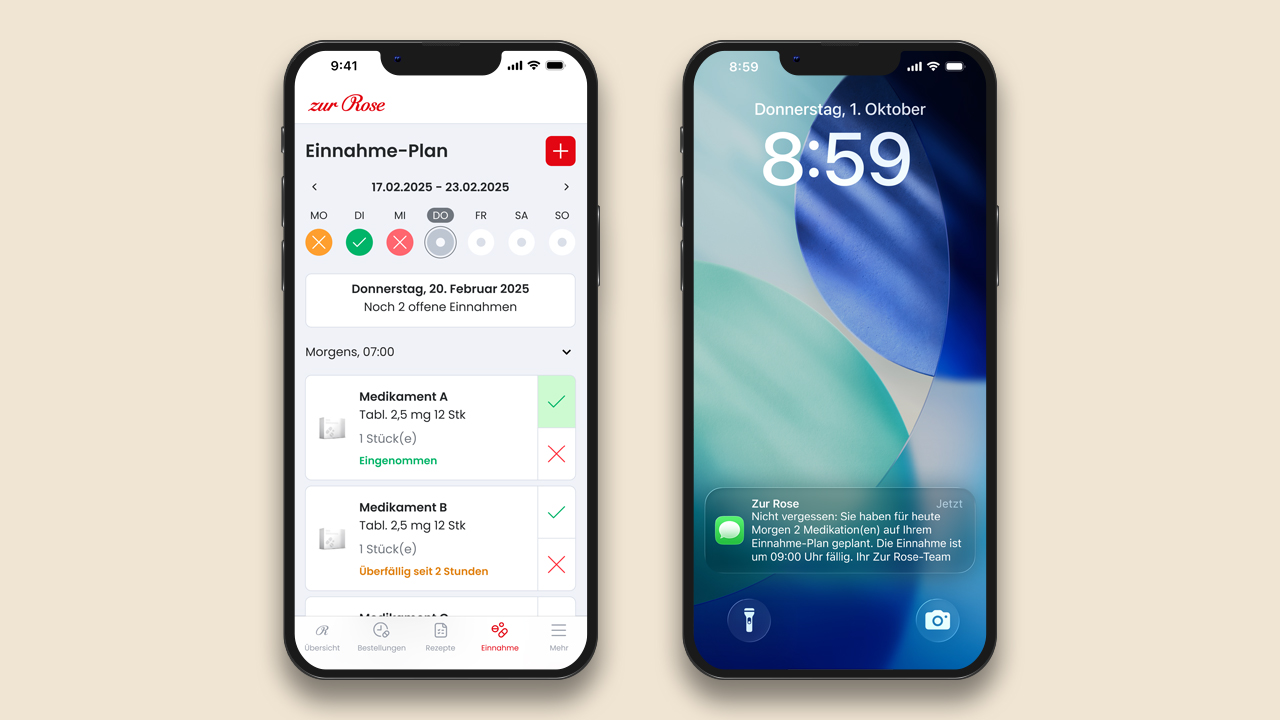
Medi+ helps you take your medication properly and at the right time. Medi+ also indicates whether different types of medication can be taken at the same time.

With data transfer from KPTnet:
go to the KPTnet customer portal. On the homepage, select ‘Register for data transfer to Medi+’. Your personal data and all billed medications will be transferred to Medi+ automatically.
Without data transfer:
register directly with Medi+ without using KPTnet.
Medication scheduling:
see an overview of all your medication thanks to the medication list. Plan when you want to take the medication: receive SMS or e-mail reminders.
Repeat prescriptions:
you can request repeat prescriptions from your doctor directly in Medi+. You can also set Medi+ to send you a reminder before a prescription is due to run out.
Discover savings:
use the generic medication calculator to discover how much you could save by switching to a generic version of your current medication.
Perks with the Zur Rose pharmacy: KPT customers save 8% when purchasing generic medication. Are you insured under the digital model or Medi model? Then you enjoy a 12% saving. The discounts are available up to a pack cost of CHF 342.70.
Useful documents and links
Frequently asked questions
Contact us for advice
Call the Zur Rose pharmacy
Call Zur Rose +41 (0)800 711 222Zur Rose offers free advice. Give them a call.
Customer portal
Ask a questionDo you have any questions about KPTnet? Send us a message.